Google Sheets Data Extraction using Apps Script
One-click data extraction from Google Sheets, using Apps Script. Criteria for data extraction is user defined.
Overview
We can extract specific data from google sheets, using Apps Script.
We use a simple button, which can also be set in the Menu, which runs the extraction script. This script filters the data using our criteria and pastes the result into a new sheet. Using 1-click button, we can extract data from google sheets using any criteria.
Demo (Video)
Google Sheets Interface
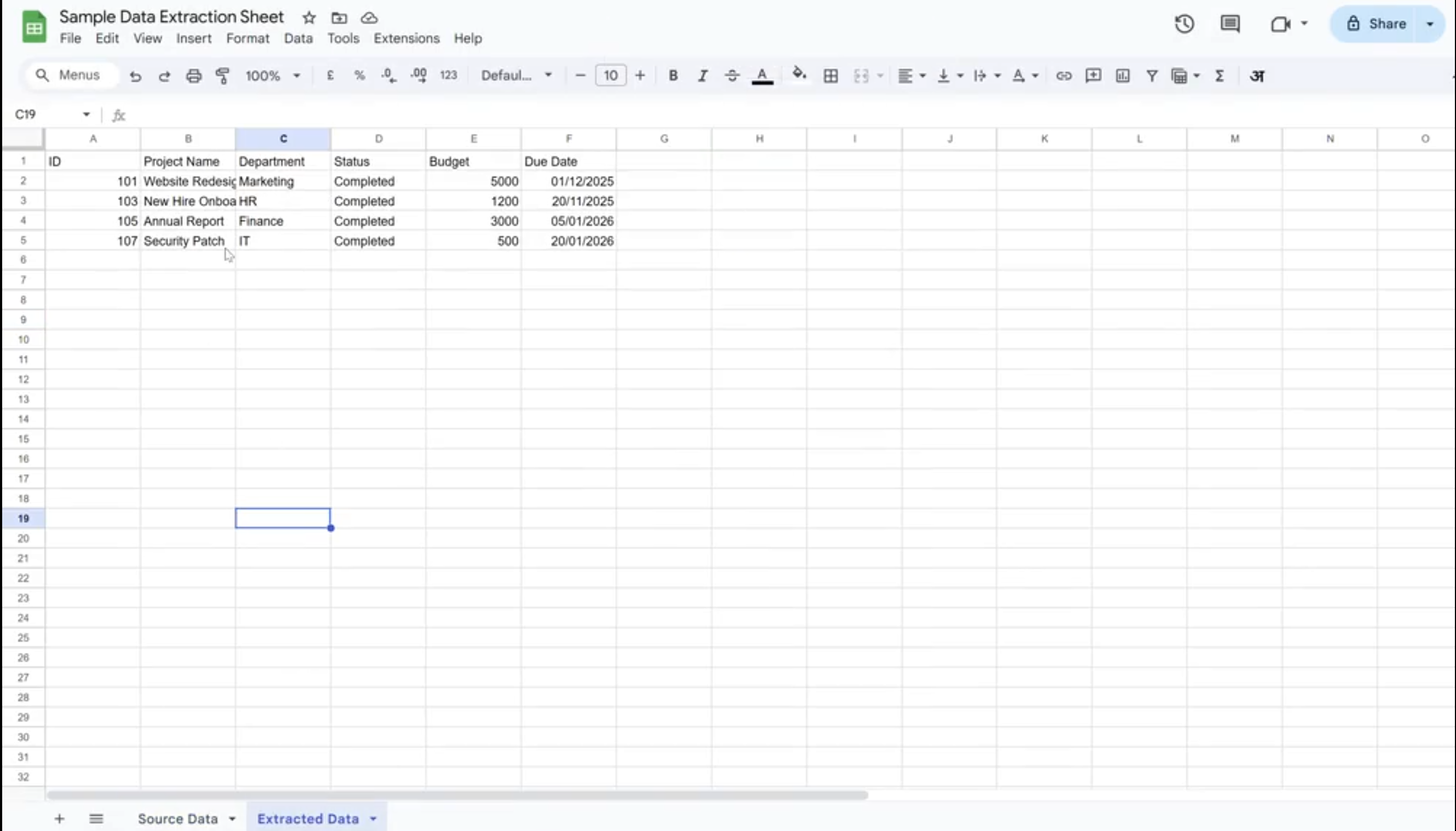
The Google sheet interface allows users to define their extraction criteria and click a button for extraction to occur to a new sheet.
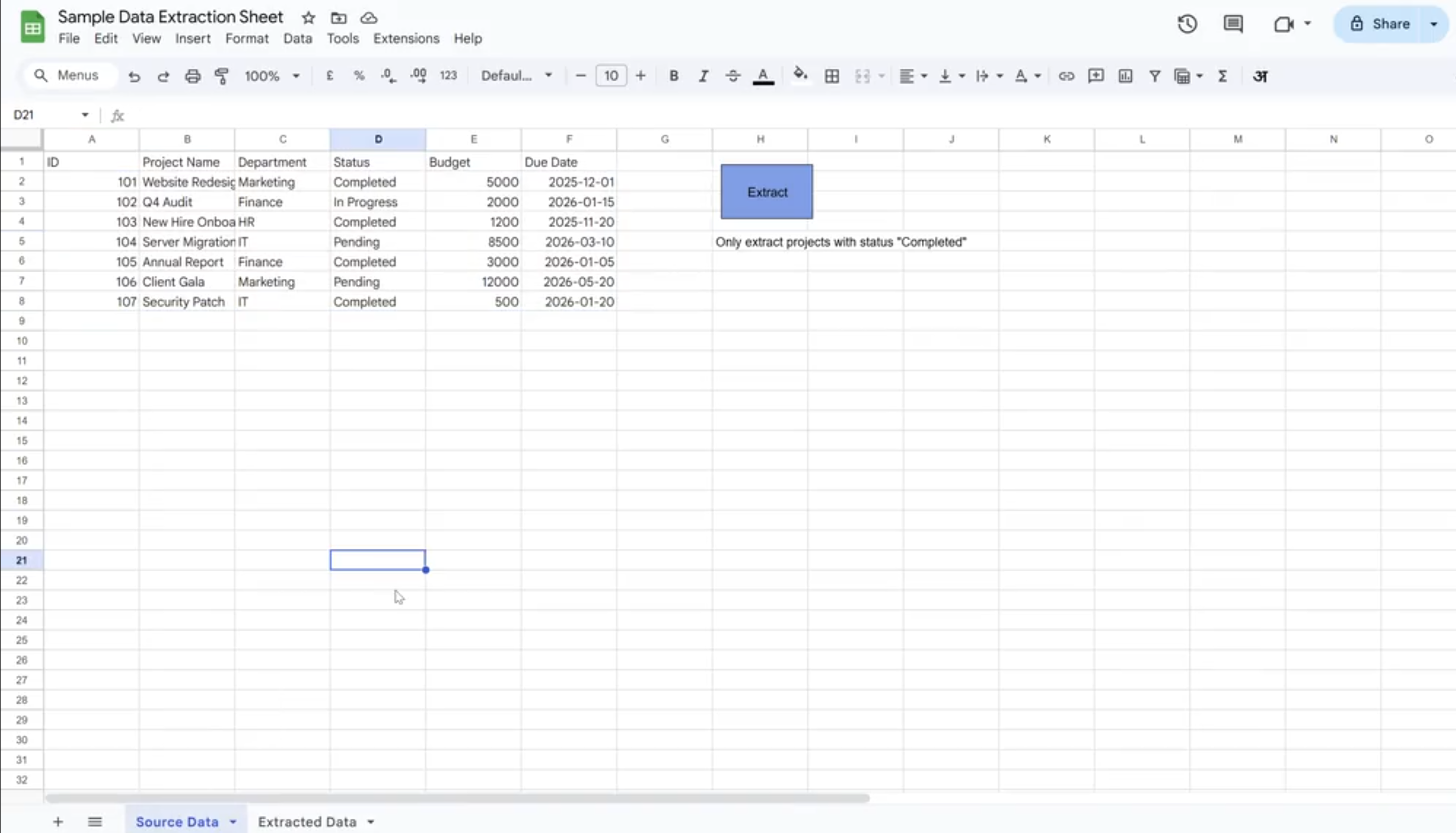
Below is the extracted data
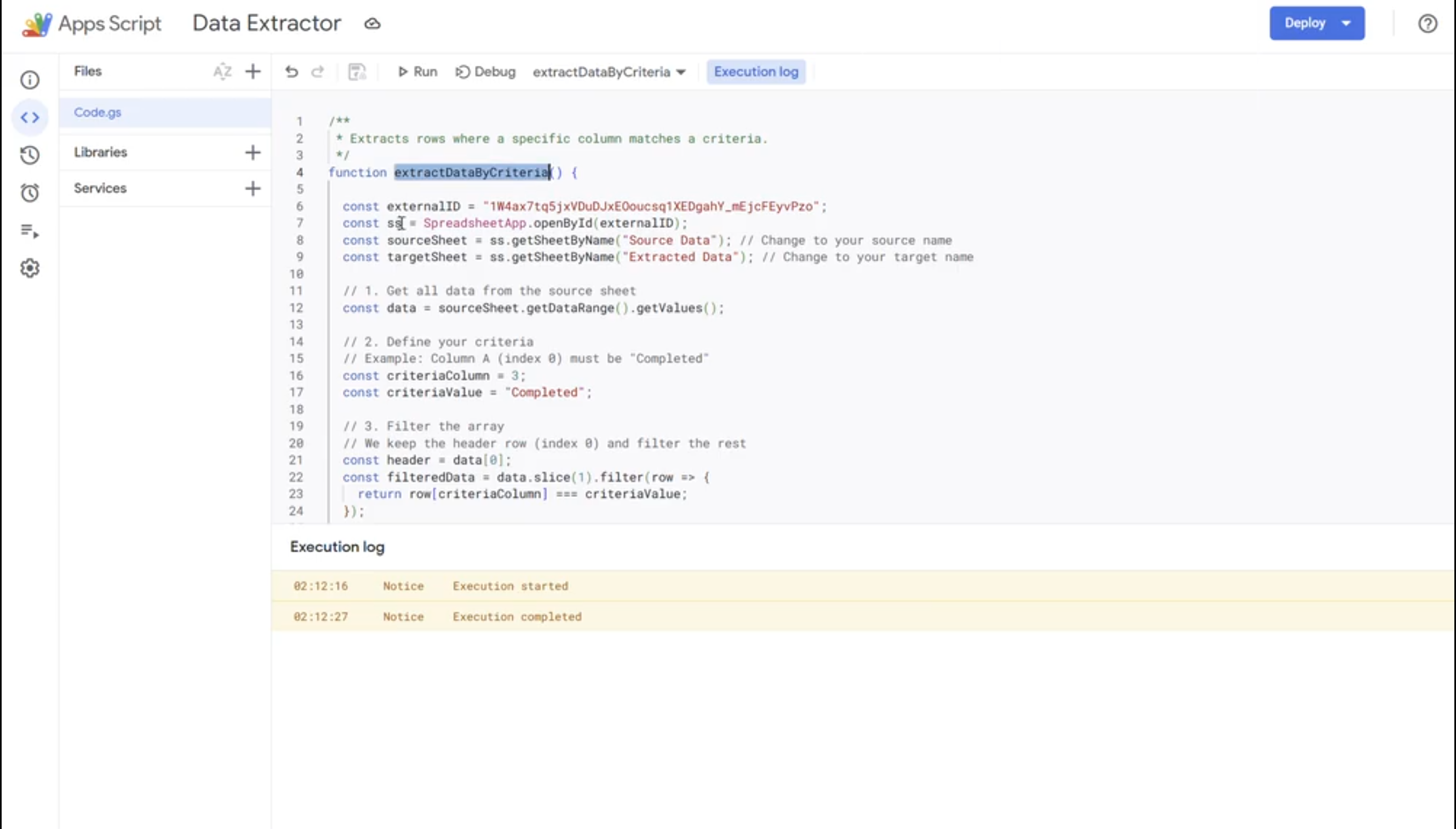
Google Apps Script Logic
The Apps Script:
- Fetches the Google Sheet, the source and destination sheets
- Gets the user input for setting the criteria
- Filters the source data based on criteria
- Pastes the filtered results into the destination sheet
- This Script is linked to a button in Google Sheets, and runs when the button is clicked
Tech Stack
- EGoogle Sheets for storing the source data, extracted data and button
- Google Apps Script for automating the extraction process
Key Learnings
- Fetching Google Sheets by their unique ID and all the sheets within that workbook
- Filtering a table and retrieving filtered data
- Linking a button to an Apps Script