Dynamic Excel-to-Word Reporting Engine
A centralized VBA-driven control-center that automates the batch export of complex Excel report sections into a perfectly formatted, brand-consistent Word document.
Overview
This project was born out of the need to eliminate the manual, error-prone process of “copy-pasting” dozens of report sheets from Excel into Word. The challenge was twofold:
- maintaining a strict corporate aesthetic (logos, specific font types, and borders) and
- handling the “long-text” problem where Excel rows would jump to new pages, leaving massive white gaps.
The solution is a self-building Control Center that scans the workbook, provides a checkbox interface for sheet selection, and executes a multi-stage export. It handles everything from global data replication (syncing headers across sheets) to sophisticated Word API commands that ensure tables fit the page margins perfectly every time.
Demo (Video)
Conversion Result
Input (Excel sheet)
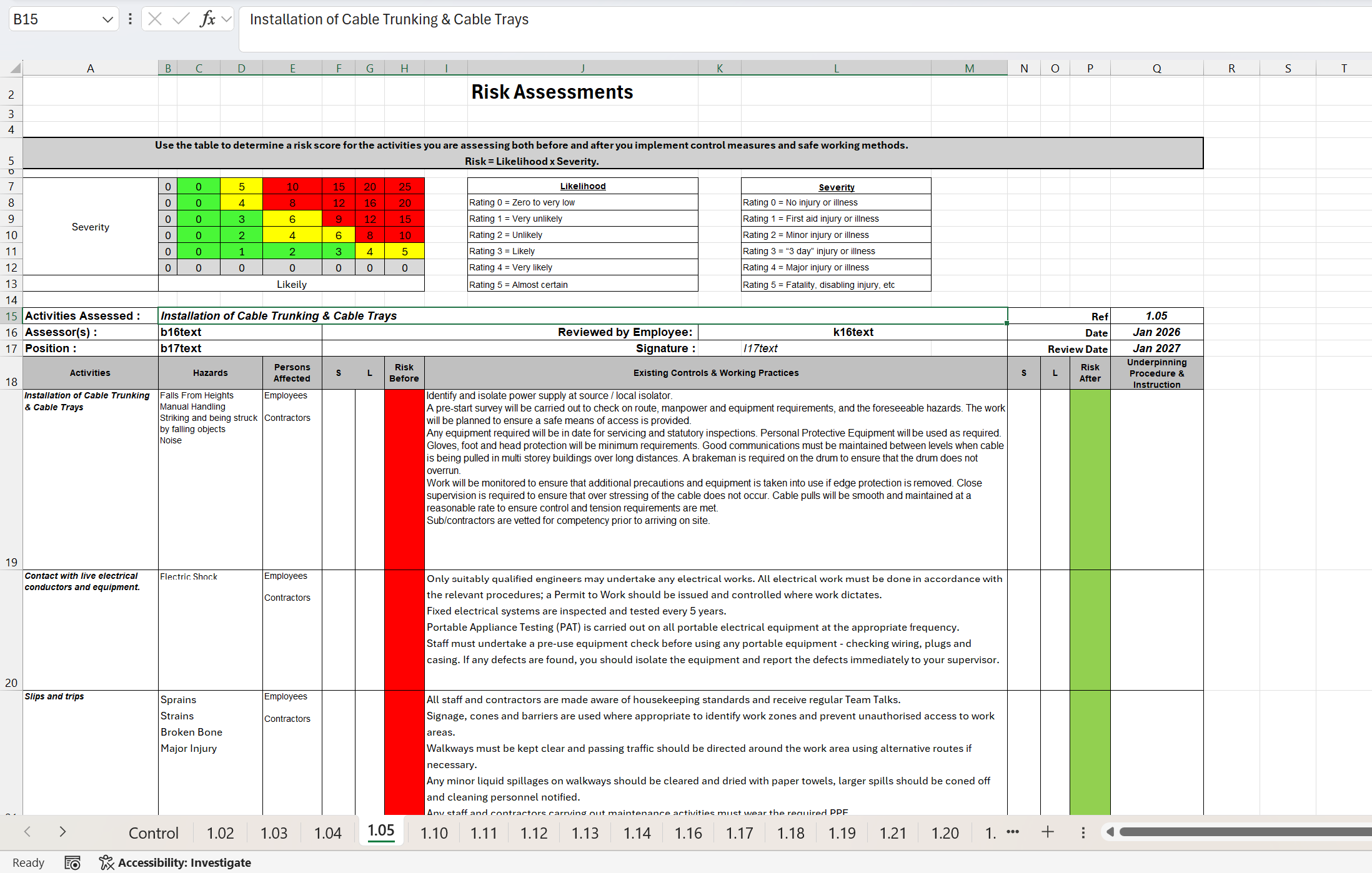
Standard Excel sheet layout
Output (Word doc)
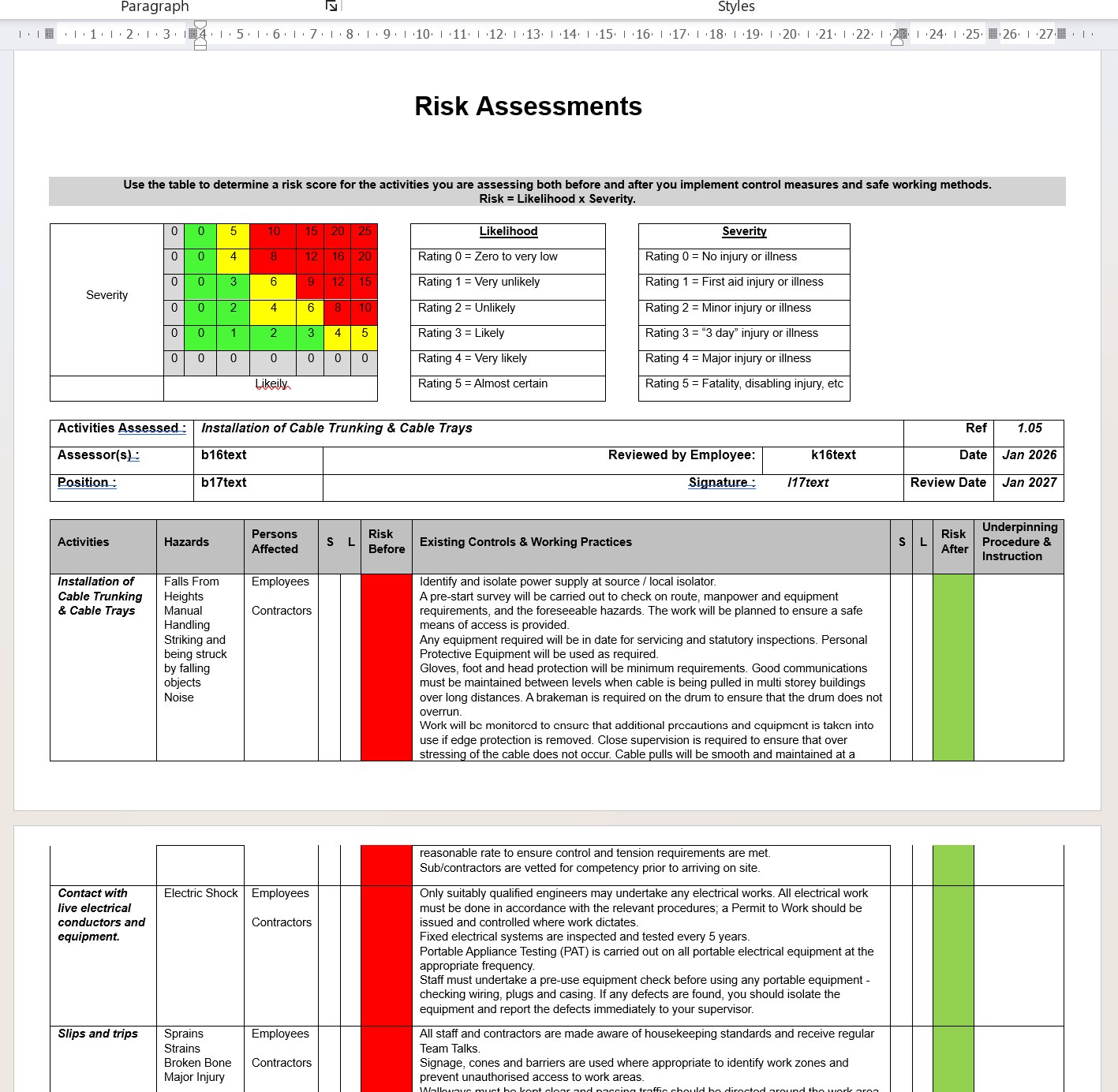
Exported word doc layout
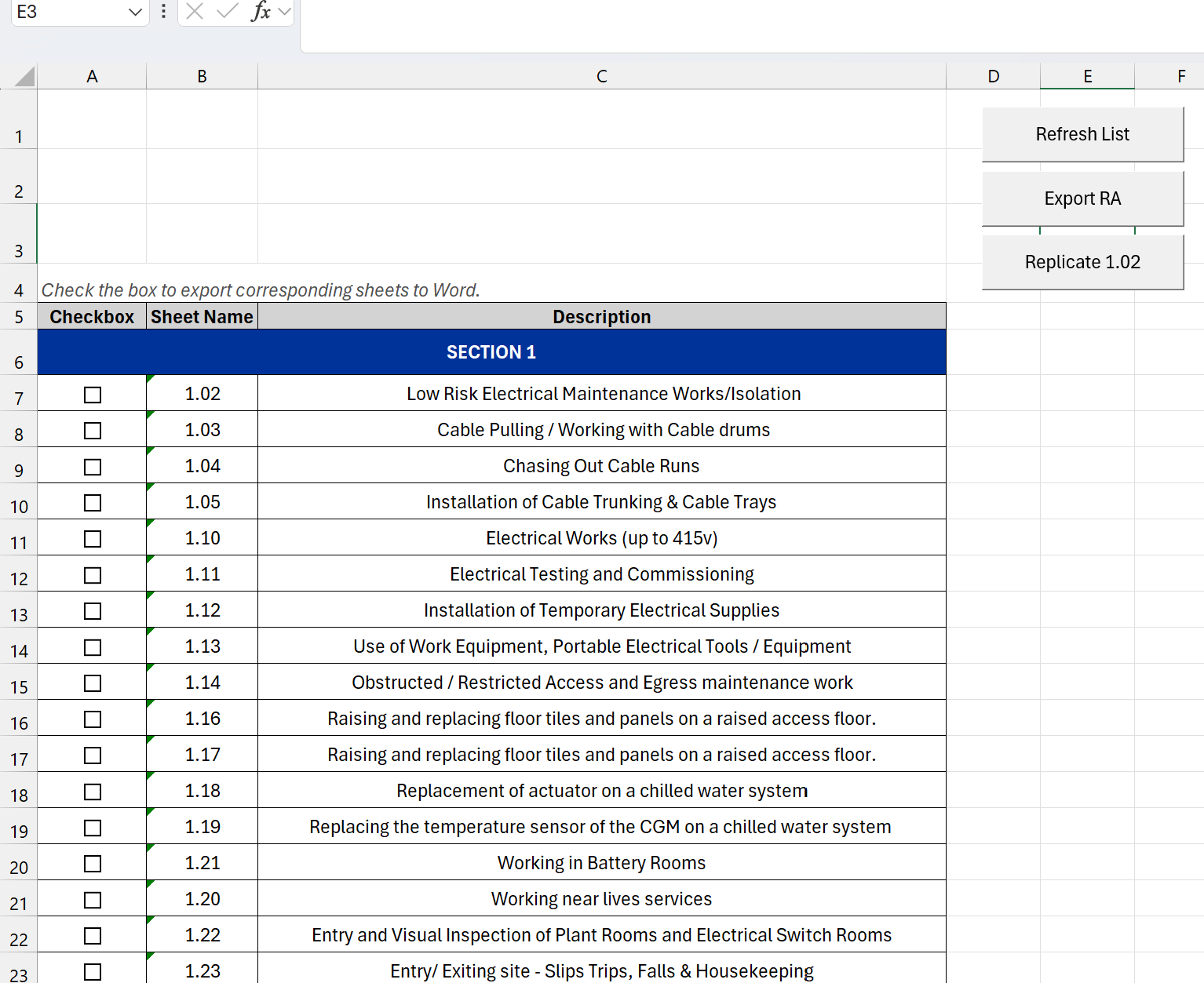
Excel Interface & Control Center
The heart of the tool is the Dynamic Control Center.
- Automated Indexing: A “Refresh” script that scans all worksheets and creates a list with descriptions.
- Checkbox Logic: Users can batch-select exactly which reports they want to include in the final export.
Command Hub: Dynamic buttons that allow for instant sheet synchronization and the final “Export RA” command.
VBA Scripting Logic
The automation is divided into three core logical blocks:
-
The Replicator: Uses a “Source to All” logic to ensure that project metadata updated in the master sheet is instantly pushed to all 50+ child sheets, maintaining data integrity.
-
The Formatting Bridge: A sequence of PasteAndFormat commands tailored to the content type. It uses Match Destination for headers to ensure alignment and Keep Source for data tables to preserve complex borders.
-
The Flow Optimizer: This is the most technical part of the script. It uses ParagraphFormat.Reset and Rows.HeightRule = 0 to “strip” Excel’s hidden formatting, allowing long text to break across Word pages naturally without layout breaks.
VBA Control Center Script
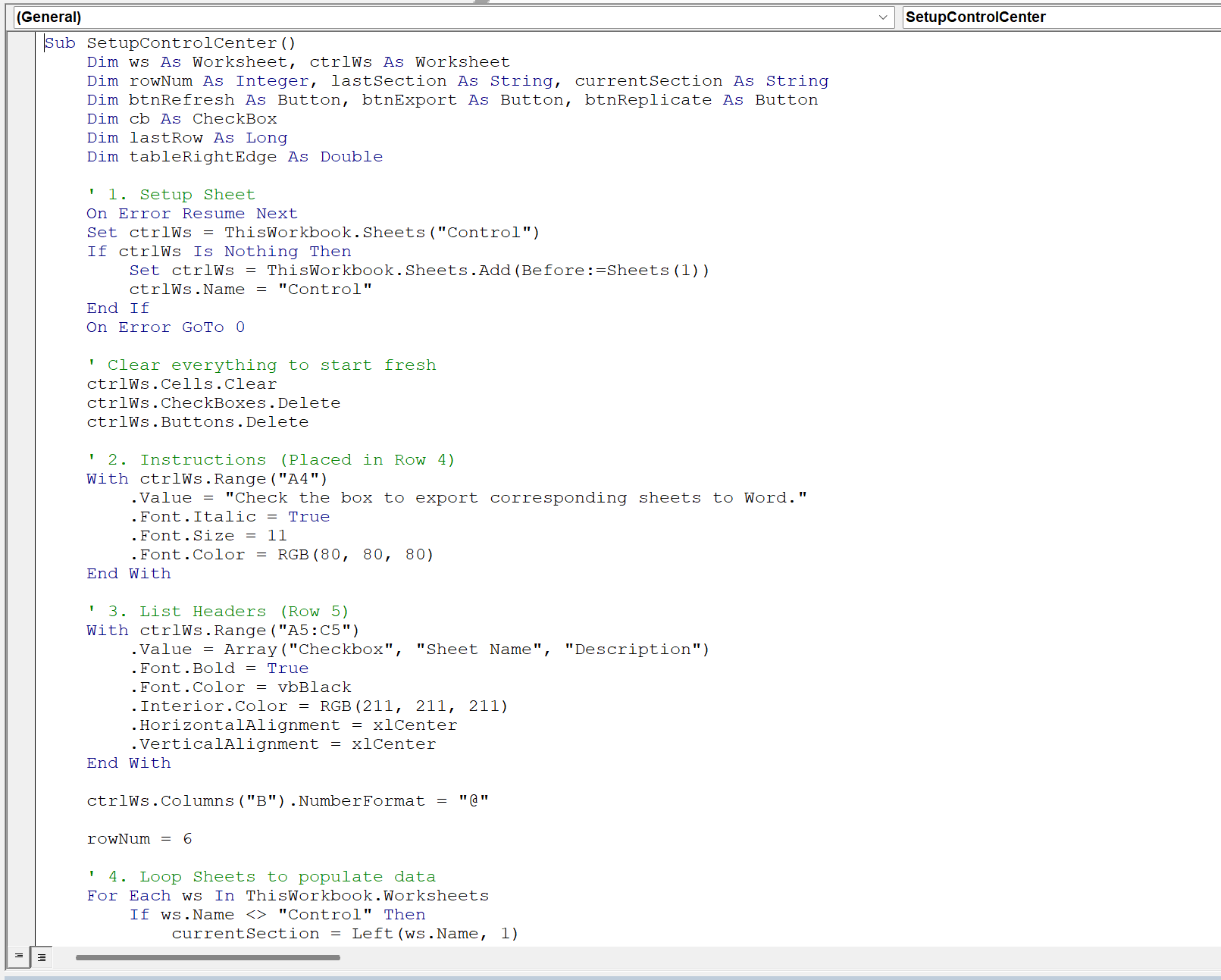
VBA script to build control center
VBA Export to Word Script
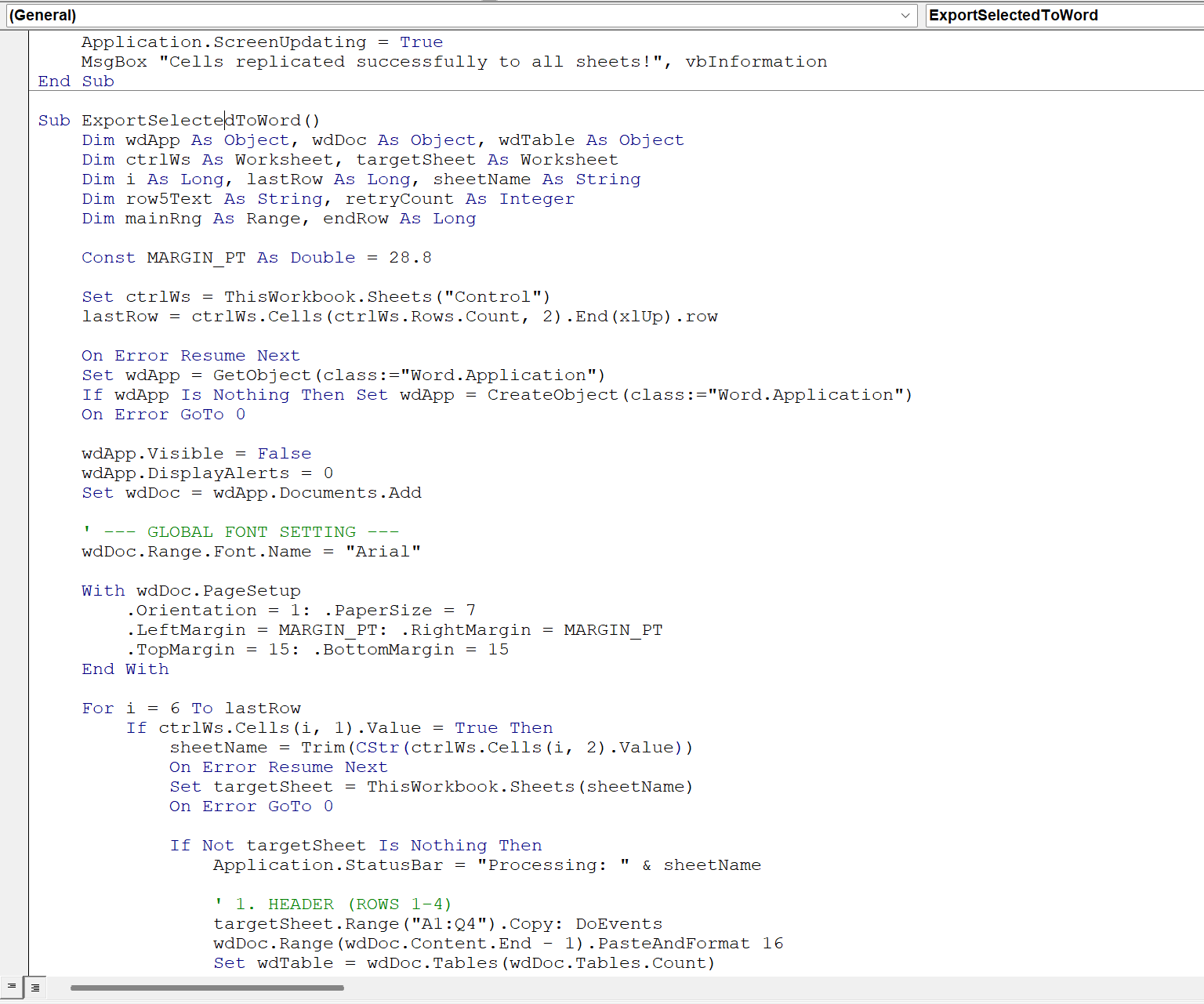
VBA script to export selected sheets to word doc
Key Learnings
-
Word Object Model Mastery: Learned how to manipulate Word’s “hidden” paragraph flags (KeepWithNext) which are the primary cause of formatting issues when pasting from Excel.
-
Efficiency at Scale: Discovered that utilizing .Value = .Value and disabling ScreenUpdating is significantly faster than standard copy-paste methods for large workbooks.
-
Dynamic UI Design: Gained experience in creating a “living” interface where buttons and checkboxes are positioned mathematically based on the length of the sheet list.
-
Brand-Safe Automation: Proved that VBA can be used to enforce brand standards (Arial font, specific margins) even when the source data is inconsistent.
Click anywhere to close